
Mastering SFP Modules for Fiber Connectivity
If you lack a solid grasp of Small Form-factor Pluggable (SFP) modules, you will frequently sell incompatible hardware, resulting in delayed deployments and costly product returns for the company.
Why this matters
If you lack a solid grasp of Small Form-factor Pluggable (SFP) modules, you will frequently sell incompatible hardware, resulting in delayed deployments and costly product returns for the company. Without this knowledge, you will fail to support clients who need to expand their network reach beyond the 100-meter limit of standard copper cabling, causing them to lose critical business connectivity between their physical office locations.
The core idea
An SFP module, or Small Form-factor Pluggable, is a compact, hot-swappable transceiver that acts as a bridge between a networking switch and the outside world. Think of the switch as the host device, and the SFP module as the specific translator that allows the switch to speak the language of a specific medium, such as fiber optic or copper. The switch itself usually does not have built-in fiber ports; instead, it has empty slots called SFP ports. To connect a fiber optic cable, you must insert an SFP module into that slot.

SFP modules plug directly into switch ports to convert electrical signals into light for long-distance data transmission.
The SFP module converts the electrical signals generated by the switch into optical signals that travel through glass strands, allowing data to traverse distances far greater than a standard Ethernet cable ever could. If you try to use a copper RJ45 patch cable to span hundreds of meters, the signal will degrade and vanish, but by choosing the right SFP module and matching it to the correct fiber cable type, you can link devices located kilometers apart.
How it works in practice
In our daily business, you will primarily encounter three types of SFP modules: 1G (standard SFP), 10G (SFP+), and 25G (SFP28). When a client describes a project, your first step is to confirm the required data rate and the distance they need to cover. For a distance of 500 meters, which is common in campus-style office environments, you would typically recommend a 1G or 10G Multimode SFP module with a Short Range (SR) designation. We frequently stock and recommend products from vendors like Cisco, Ubiquiti, and FS.com. You must always check the switch datasheet to confirm if the port supports SFP or SFP+.
When installing, you simply slide the module into the empty port until it clicks, then connect the fiber patch cable. You must also match the fiber type; Multimode (OM3 or OM4) fiber is usually used for short runs like 500 meters, while Single-mode (OS2) fiber is used for long-distance runs reaching 10 kilometers or more. Always ensure the patch cable connector, typically an LC type, physically fits the module you have chosen.
Worked example
A customer calls in saying they are adding a warehouse located 500 meters from their main office and needs a network link. A junior salesperson might incorrectly suggest that they just need a long Cat6 Ethernet cable, but you know that copper cables fail at 100 meters due to signal attenuation. If you follow that bad advice, the customer would receive a cable that provides no signal at all. Instead, the right handling is to first verify their switch model. You ask them to look at the front of their switch and count the open SFP ports. Once confirmed, you propose an SFP+ module that matches their switch brand and an OM4 Multimode fiber cable.
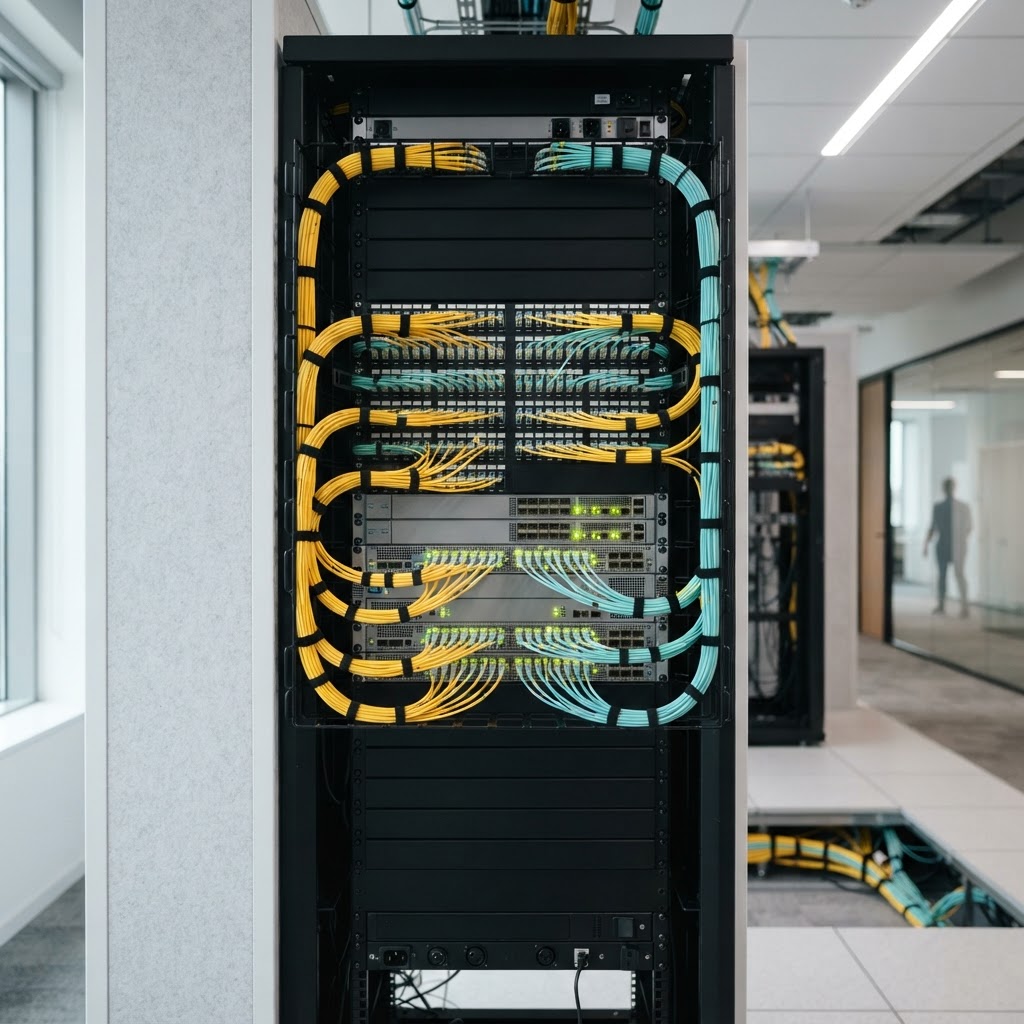
Proper fiber optic installations are essential for reliable, high-speed data connectivity across large campus or warehouse environments.
By doing this, you ensure the connection will actually carry data, you reduce the risk of an angry support ticket, and you demonstrate professional technical expertise.
Where people go wrong
The most common mistake is assuming that a standard RJ45 copper Ethernet cable can handle any distance; in reality, copper is strictly limited to 100 meters, and anything further requires fiber optics and the SFP modules to interface with it. Another frequent error is ignoring the 'SFP' versus 'SFP+' distinction; while they look identical, they operate at different speeds, and plugging a 1G module into a 10G port can lead to performance bottlenecks or incompatibility. A third mistake is failing to verify the cable type, specifically confusing Multimode and Single-mode fiber.
If a customer buys a Single-mode SFP module but uses Multimode cabling, the laser wavelengths will not align, and the link will never come up. Finally, some neglect the 'transceiver compatibility' requirement; while most switches are flexible, some proprietary enterprise switches require vendor-specific coded SFP modules to function.
Key takeaways
- Remember that copper Ethernet cables have a strict 100-meter physical limit for reliable data transmission.
- Always identify the distance required before suggesting a solution; for anything over 100 meters, you must shift the conversation to fiber optics and SFP modules.
- Verify the specific switch port type, distinguishing between SFP (1G) and SFP+ (10G) to ensure hardware compatibility.
- Match the SFP module type (Multimode vs. Single-mode) exactly to the type of fiber optic cabling the customer is installing.
- Always confirm that the SFP module is compatible with the switch brand or is coded appropriately for the client's equipment.